How it helps you
Our Microsoft Teams / Google Meet integration saves you valuable time by helping you:
- Create Google or Microsoft video meetings based on your parent-teacher meeting plannings in one click.
- Share the video conferencing links with parents easily
How it works
1. CREATE GOOGLE MEET / MICROSOFT TEAMS MEETINGS
After creating your meeting planning in Social Schools; you can use the integration to automatically create meetings in Google Calendar or Microsoft Teams and add the video conferencing links to the timeslots in your planning by using the "Add video conference link" button.
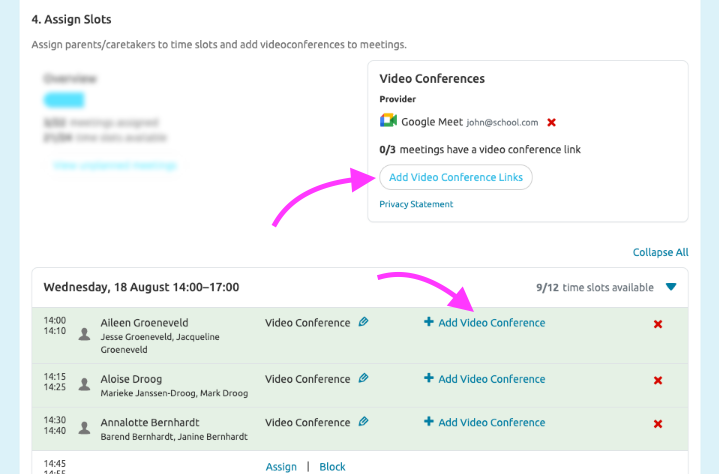
2. LET THE MAGIC HAPPEN…
Meetings are created in your connected account’s Calendar. Video-conferencing links are saved in your meeting planning’s timeslots.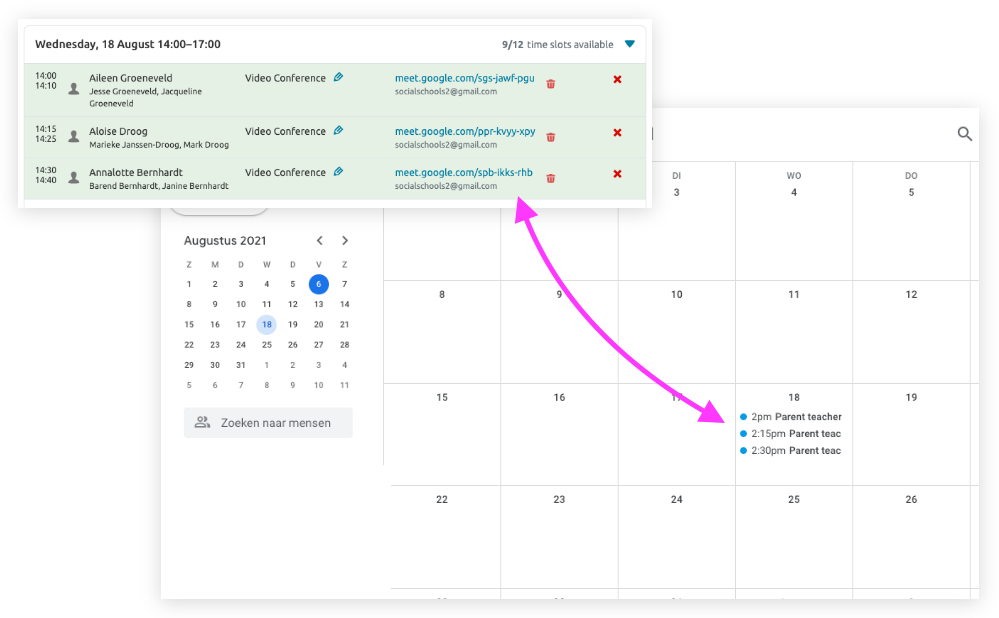
3. SHARE WITH PARENTS / CARETAKERS
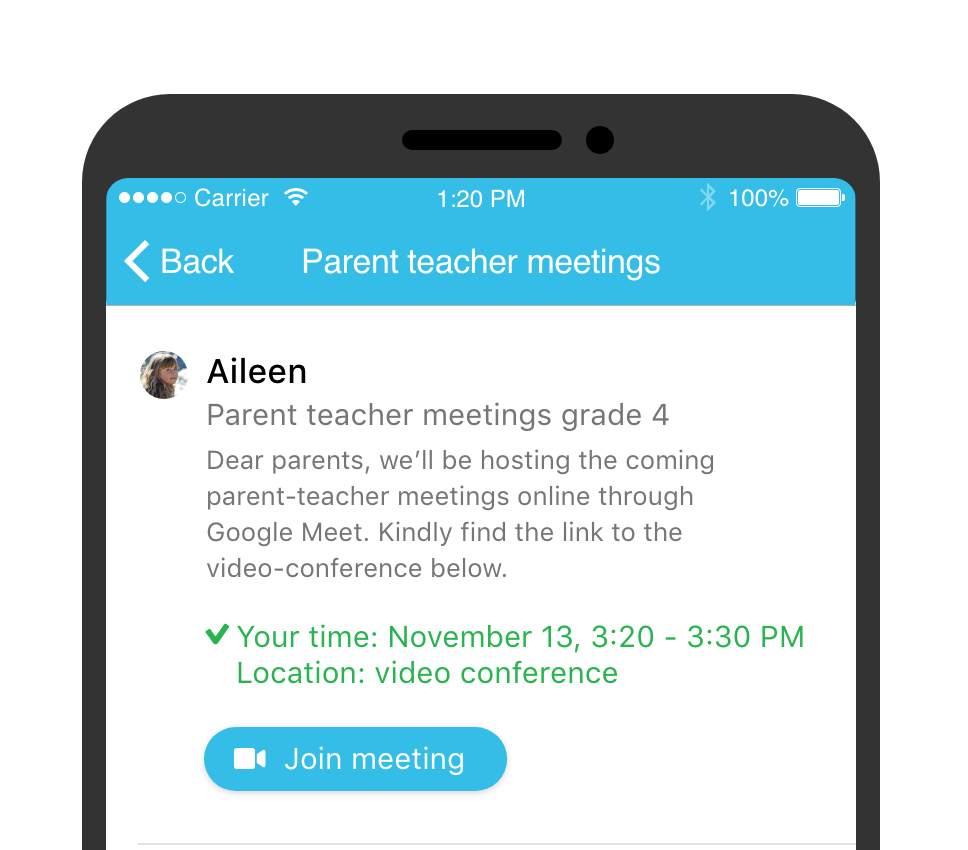
When a video-conferencing link has been added to a timeslot, the link is visible to parents so they can easily join the meeting.
How we use your data
We access your Google or Microsoft account only in order to create and remove meetings and retrieve the video-conference links. We do not retrieve information from your account other than information needed for the above. For more information on the usage of your data, kindly read our privacy statement:
Bijgewerkt